
How to Build a Workout Animation Library for a Fitness App
Plan workout animations for your fitness app. Copy the exercise brief, choose video or real-time 3D, test a pilot and deliver clips your app can reuse.
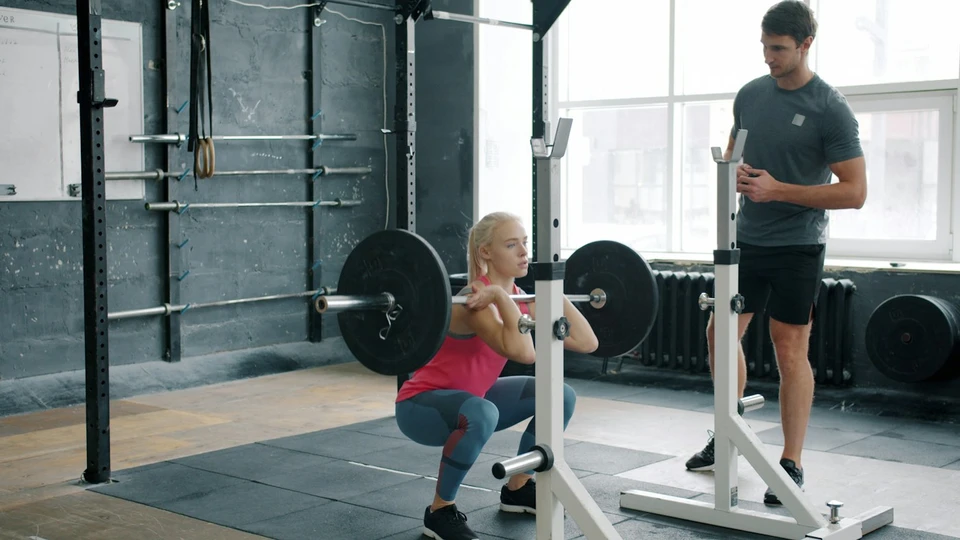
How do you commission workout animations that still work when your fitness app grows from a handful of demonstrations to a full library?
Start with an inventory of the exercises your first release actually needs. Agree on the playback format, commission a pilot with a few different movement types and review it inside the app. Then use the approved pilot to set the naming, framing, looping and delivery rules for the rest of the library.
This guide is for product teams preparing a production brief. Mobile exercise apps ranked second in the ACSM 2027 Worldwide Fitness Trends survey, up from fourth in the 2026 survey. For an app team, the practical question is what to produce first and what to approve before scaling. The Fitness Animation service explains the production work behind that decision.
Table of Contents
Build the exercise list around launch
Work backwards from the first programmes a member can open. List the actual exercises those programmes call for, then reuse the same exercise ID wherever a demonstration is shared. Keep the display name separate. Two programmes can call a movement by different names while pointing to the same approved clip. Conversely, two exercises with similar names may need separate clips if the equipment, setup or visible movement differs.
Give every entry a launch priority and a named reviewer. Record equipment, starting position, laterality, the action the viewer needs to see and the point at which the demonstration ends. Treat a different camera view as a delivery variant. Treat a different exercise, such as a supported version with a chair, as a separate movement if a reviewer needs to sign off on it independently. That distinction affects the shot count, review time and budget.
For example, suppose a launch programme uses a bodyweight squat, a supported squat, a dumbbell row and a floor movement. The squat and supported squat need separate records because the setup and contact points differ. If the app explicitly teaches both arms on the row, record left and right as separate variants. A mirrored asset may be possible, but your reviewer should check handedness, text, camera framing and equipment placement before you count on it.
Ask the movement lead to supply approved references and identify where the start or finish could be ambiguous. Ask the product lead which screen will show the clip. A demo in a small card needs different framing from one on a full-screen exercise page. If the app links to written instructions, let those carry the cue text rather than baking it into every clip. That makes revisions and language versions easier to manage. Use the custom versus stock exercise animation guide to settle sourcing decisions before you lock the production inventory.
Choose the playback format before production
Rendered video loops are a reasonable starting point when the app needs a fixed view and the experience does not change the character or camera. Ask your app team for the supported codec, resolution, aspect ratio, transparency requirements and expected delivery size. Request a representative clip at the actual dimensions. A well-framed studio render may lose the feet or the equipment when the app crops it to fit a card.
Use real-time 3D when the app needs features such as camera control, interchangeable characters or movement sequencing in an engine. Agree on the rig and which runtime imports the files. Specify units, axis conventions, clip naming and how root motion should behave. Ask the development team to import the pilot into the shipping pipeline and measure playback on the target phones. A rig can be usable in a studio tool and still need preparation for a different app runtime.
Decide what should happen when a clip loads slowly, is paused or fails to download. A poster frame can provide a stable first view. A text alternative can keep the exercise instructions accessible when the visual is unavailable. Test under the network conditions you expect members to encounter. Judge the video and 3D options against the experience the app actually needs, including how the content will be updated six months after launch.
The production method is a separate decision from the playback format. A rendered loop can use captured performance or keyframe animation, and either approach can be used to create clips for an agreed rig. Use the motion capture versus keyframe comparison and the motion capture technology overview to decide what a pilot should test. If the app needs a new character, review the custom fitness avatar production requirements before assuming a rig will be ready to use.
Use a copyable exercise animation brief
Copy the fields below into a spreadsheet row, project ticket or enquiry. Fill out one record per exercise and give each separately approved side, version or view a clear label. Start with the pilot records so the studio can flag missing information before you enter the full library.
Exercise ID and display name: [stable ID] | [member-facing name]
Movement and approved reference: [description] | [reference file or link]
Variants and sides: [left, right, supported version or other variants]
Equipment and contact points: [equipment, hand or foot contacts, floor or bench]
Starting position and finish: [first pose] | [final pose]
View and framing: [front, side or three-quarter] | [what must stay in frame]
Loop requirements: [repeat or one-shot] | [timing, hold or reset]
Output and playback target: [video or 3D clip] | [format, dimensions or runtime]
Approval and delivery: [movement reviewer] | [app reviewer] | [due date]
An illustrative record might be: exercise ID row-single; single-arm dumbbell row; separate left and right variants; bench and dumbbell; three-quarter view with the supporting hand and dumbbell visible; repeat cycle reviewed for a clean seam; rendered video loop for the exercise detail view, with final codec and dimensions confirmed by engineering. Add the approved reference and reviewer names before commissioning it. This record defines production and review requirements for a clip.
Keep a separate library-wide brief for decisions shared by every exercise. That includes the character or performer, visual treatment, backdrop, default camera height, file naming and accessibility requirements. If an exercise departs from a default, put the exception on its record. For teams that need a branded character as part of the library, see the Virtual Fitness Coach service for related production considerations.
Approve a pilot and plan the handoff
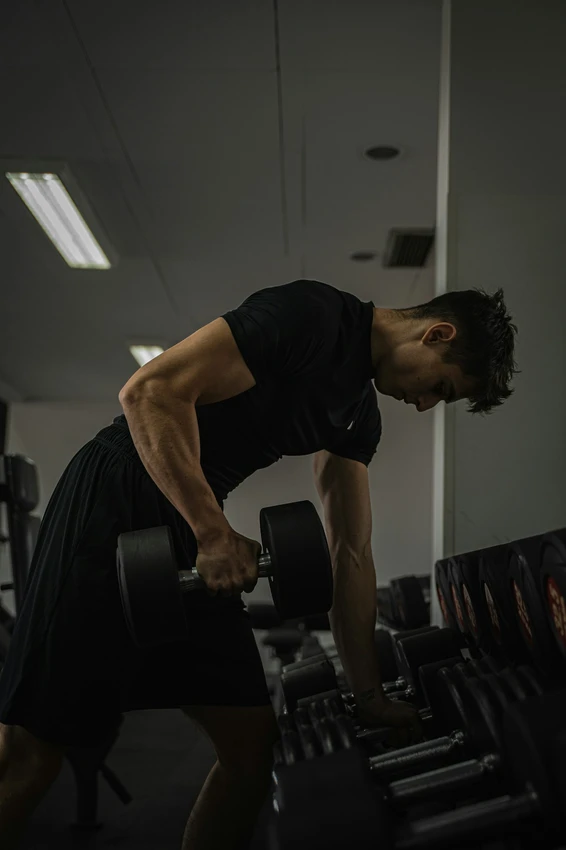
Pick a small pilot that exercises different parts of the pipeline. A standing movement tests full-body framing; a floor movement reveals whether hands or feet drift at contact; an equipment-based movement exposes prop scale or grip problems. Include a left-right variant if it is important to the app. Choose representative complexity instead of approving a set of easy clips and discovering harder problems after the first batch is produced.
Review movement and playback separately. Have the movement lead check positions and cues against approved references. Have the app team check clipping, timing, loading, replay and transitions on the intended screen. For a looping clip, watch several repeats and look at the seam for visible jumps. Record issues against the exercise ID, side, timecode and version so the studio knows what to correct. Keep the pilot clips in the actual app until both reviewers sign off.
Use a delivery manifest to tie each stable ID to its approved files. Include the side, view, output format, asset version and approval status. One naming example is row-single_left_three-quarter_v02. Maintain a short record of replaced files so the app build does not accidentally pick up a superseded clip. Agree on the accepted source files, reuse rights, ownership and who is responsible for converting or re-exporting assets when the app updates.
Estimate the full library after you know how long the pilot took to produce and approve. Count additional characters, close-up views, props, reviews and platform exports separately. Release in batches that correspond to the app’s programmes, with a sign-off before each batch goes live. For a real example of character production, see Spark Fitness, which documents Mimic Productions’ modelling, texturing and rigging contribution. It provides context for the character work a library may depend on. Explore the studio project portfolio for related examples.
Before the first batch ships, ask an engineer who did not work on the pilot to import the assets using the handoff notes alone. They should be able to match a clip to its exercise record, see which version is approved and replace it without guessing how the animation was exported. Where the import involves a manual fix, document it or address it before producing the rest of the library. This also gives the team a concrete check to repeat whenever files, characters or playback requirements change.
Frequently asked questions
How many workout animations should a fitness app launch with?
Count the unique exercises and variants needed by the programmes available at launch. Approve a representative pilot first, then prioritise coverage for the initial release. Include views, language assets and exports in the production count where they create separate deliverables.
Should workout animations be videos or real-time 3D assets?
Video works well for a fixed view with predictable playback. Real-time 3D is useful when the app must control the camera, swap characters or blend movements. Let your engineering team test a representative asset before deciding.
What should an exercise animation brief include?
Include a stable ID, display name, approved movement reference, variants, equipment, camera view, loop requirements and the target output format. Name the people who will approve movement and playback and give each clip a delivery priority.
Can all movements be shown as seamless loops?
Some demonstrations need a distinct setup, finish or reset. The exercise record should specify whether it repeats, plays once or holds on a key pose. Check the actual loop seam and controls in the app.
Can I reuse the same clips for another character?
Possibly, if the rig, proportions, contact points and reuse rights support it. Test the new character on moves that use the floor or equipment. Have reviewers approve the retargeted version before release.
Do I need both left and right exercise clips?
It depends on the instruction and user interface. If the side matters, confirm how each side is displayed and labelled. A mirrored clip may work after checking handedness, asymmetrical equipment and camera cues.
Who approves movement accuracy for app demonstrations?
The commissioning team should name a qualified movement reviewer and supply approved references. The studio and app team can then check the clip against those references and confirm that the delivered file plays as agreed.
What drives the cost of building the full library?
The main factors are the number of unique movements, variants, characters, props, views, export formats and revision rounds. Use an approved pilot to estimate how those requirements affect the remaining work.
Conclusion
An exercise library is easier to extend when the launch list, playback format and approval standards are decided before the production batch starts. Use the copyable brief to prepare representative movements and agree on what will count as a pass in the app.
Send us your exercise list, target platform and any existing character assets. We’ll help you scope a pilot and the full library.
How do you commission workout animations that still work when your fitness app grows from a handful of demonstrations to a full library?
Start with an inventory of the exercises your first release actually needs. Agree on the playback format, commission a pilot with a few different movement types and review it inside the app. Then use the approved pilot to set the naming, framing, looping and delivery rules for the rest of the library.
This guide is for product teams preparing a production brief. Mobile exercise apps ranked second in the ACSM 2027 Worldwide Fitness Trends survey, up from fourth in the 2026 survey. For an app team, the practical question is what to produce first and what to approve before scaling. The Fitness Animation service explains the production work behind that decision.
Table of Contents
Build the exercise list around launch
Work backwards from the first programmes a member can open. List the actual exercises those programmes call for, then reuse the same exercise ID wherever a demonstration is shared. Keep the display name separate. Two programmes can call a movement by different names while pointing to the same approved clip. Conversely, two exercises with similar names may need separate clips if the equipment, setup or visible movement differs.
Give every entry a launch priority and a named reviewer. Record equipment, starting position, laterality, the action the viewer needs to see and the point at which the demonstration ends. Treat a different camera view as a delivery variant. Treat a different exercise, such as a supported version with a chair, as a separate movement if a reviewer needs to sign off on it independently. That distinction affects the shot count, review time and budget.
For example, suppose a launch programme uses a bodyweight squat, a supported squat, a dumbbell row and a floor movement. The squat and supported squat need separate records because the setup and contact points differ. If the app explicitly teaches both arms on the row, record left and right as separate variants. A mirrored asset may be possible, but your reviewer should check handedness, text, camera framing and equipment placement before you count on it.
Ask the movement lead to supply approved references and identify where the start or finish could be ambiguous. Ask the product lead which screen will show the clip. A demo in a small card needs different framing from one on a full-screen exercise page. If the app links to written instructions, let those carry the cue text rather than baking it into every clip. That makes revisions and language versions easier to manage. Use the custom versus stock exercise animation guide to settle sourcing decisions before you lock the production inventory.
Choose the playback format before production
Rendered video loops are a reasonable starting point when the app needs a fixed view and the experience does not change the character or camera. Ask your app team for the supported codec, resolution, aspect ratio, transparency requirements and expected delivery size. Request a representative clip at the actual dimensions. A well-framed studio render may lose the feet or the equipment when the app crops it to fit a card.
Use real-time 3D when the app needs features such as camera control, interchangeable characters or movement sequencing in an engine. Agree on the rig and which runtime imports the files. Specify units, axis conventions, clip naming and how root motion should behave. Ask the development team to import the pilot into the shipping pipeline and measure playback on the target phones. A rig can be usable in a studio tool and still need preparation for a different app runtime.
Decide what should happen when a clip loads slowly, is paused or fails to download. A poster frame can provide a stable first view. A text alternative can keep the exercise instructions accessible when the visual is unavailable. Test under the network conditions you expect members to encounter. Judge the video and 3D options against the experience the app actually needs, including how the content will be updated six months after launch.
The production method is a separate decision from the playback format. A rendered loop can use captured performance or keyframe animation, and either approach can be used to create clips for an agreed rig. Use the motion capture versus keyframe comparison and the motion capture technology overview to decide what a pilot should test. If the app needs a new character, review the custom fitness avatar production requirements before assuming a rig will be ready to use.
Use a copyable exercise animation brief
Copy the fields below into a spreadsheet row, project ticket or enquiry. Fill out one record per exercise and give each separately approved side, version or view a clear label. Start with the pilot records so the studio can flag missing information before you enter the full library.
Exercise ID and display name: [stable ID] | [member-facing name]
Movement and approved reference: [description] | [reference file or link]
Variants and sides: [left, right, supported version or other variants]
Equipment and contact points: [equipment, hand or foot contacts, floor or bench]
Starting position and finish: [first pose] | [final pose]
View and framing: [front, side or three-quarter] | [what must stay in frame]
Loop requirements: [repeat or one-shot] | [timing, hold or reset]
Output and playback target: [video or 3D clip] | [format, dimensions or runtime]
Approval and delivery: [movement reviewer] | [app reviewer] | [due date]
An illustrative record might be: exercise ID row-single; single-arm dumbbell row; separate left and right variants; bench and dumbbell; three-quarter view with the supporting hand and dumbbell visible; repeat cycle reviewed for a clean seam; rendered video loop for the exercise detail view, with final codec and dimensions confirmed by engineering. Add the approved reference and reviewer names before commissioning it. This record defines production and review requirements for a clip.
Keep a separate library-wide brief for decisions shared by every exercise. That includes the character or performer, visual treatment, backdrop, default camera height, file naming and accessibility requirements. If an exercise departs from a default, put the exception on its record. For teams that need a branded character as part of the library, see the Virtual Fitness Coach service for related production considerations.
Approve a pilot and plan the handoff
Pick a small pilot that exercises different parts of the pipeline. A standing movement tests full-body framing; a floor movement reveals whether hands or feet drift at contact; an equipment-based movement exposes prop scale or grip problems. Include a left-right variant if it is important to the app. Choose representative complexity instead of approving a set of easy clips and discovering harder problems after the first batch is produced.
Review movement and playback separately. Have the movement lead check positions and cues against approved references. Have the app team check clipping, timing, loading, replay and transitions on the intended screen. For a looping clip, watch several repeats and look at the seam for visible jumps. Record issues against the exercise ID, side, timecode and version so the studio knows what to correct. Keep the pilot clips in the actual app until both reviewers sign off.
Use a delivery manifest to tie each stable ID to its approved files. Include the side, view, output format, asset version and approval status. One naming example is row-single_left_three-quarter_v02. Maintain a short record of replaced files so the app build does not accidentally pick up a superseded clip. Agree on the accepted source files, reuse rights, ownership and who is responsible for converting or re-exporting assets when the app updates.
Estimate the full library after you know how long the pilot took to produce and approve. Count additional characters, close-up views, props, reviews and platform exports separately. Release in batches that correspond to the app’s programmes, with a sign-off before each batch goes live. For a real example of character production, see Spark Fitness, which documents Mimic Productions’ modelling, texturing and rigging contribution. It provides context for the character work a library may depend on. Explore the studio project portfolio for related examples.
Before the first batch ships, ask an engineer who did not work on the pilot to import the assets using the handoff notes alone. They should be able to match a clip to its exercise record, see which version is approved and replace it without guessing how the animation was exported. Where the import involves a manual fix, document it or address it before producing the rest of the library. This also gives the team a concrete check to repeat whenever files, characters or playback requirements change.
Frequently asked questions
How many workout animations should a fitness app launch with?
Count the unique exercises and variants needed by the programmes available at launch. Approve a representative pilot first, then prioritise coverage for the initial release. Include views, language assets and exports in the production count where they create separate deliverables.
Should workout animations be videos or real-time 3D assets?
Video works well for a fixed view with predictable playback. Real-time 3D is useful when the app must control the camera, swap characters or blend movements. Let your engineering team test a representative asset before deciding.
What should an exercise animation brief include?
Include a stable ID, display name, approved movement reference, variants, equipment, camera view, loop requirements and the target output format. Name the people who will approve movement and playback and give each clip a delivery priority.
Can all movements be shown as seamless loops?
Some demonstrations need a distinct setup, finish or reset. The exercise record should specify whether it repeats, plays once or holds on a key pose. Check the actual loop seam and controls in the app.
Can I reuse the same clips for another character?
Possibly, if the rig, proportions, contact points and reuse rights support it. Test the new character on moves that use the floor or equipment. Have reviewers approve the retargeted version before release.
Do I need both left and right exercise clips?
It depends on the instruction and user interface. If the side matters, confirm how each side is displayed and labelled. A mirrored clip may work after checking handedness, asymmetrical equipment and camera cues.
Who approves movement accuracy for app demonstrations?
The commissioning team should name a qualified movement reviewer and supply approved references. The studio and app team can then check the clip against those references and confirm that the delivered file plays as agreed.
What drives the cost of building the full library?
The main factors are the number of unique movements, variants, characters, props, views, export formats and revision rounds. Use an approved pilot to estimate how those requirements affect the remaining work.
Conclusion
An exercise library is easier to extend when the launch list, playback format and approval standards are decided before the production batch starts. Use the copyable brief to prepare representative movements and agree on what will count as a pass in the app.
Send us your exercise list, target platform and any existing character assets. We’ll help you scope a pilot and the full library.
General information about technology and wellbeing, not personal medical advice. Read our editorial policy.
Continue exploring.
Exercise Animations for Fitness Apps: Custom vs Stock
Compare stock and custom exercise animations for fitness apps: asset formats, licensing, movement review and pilot tests. Plan a clear production brief.
Read article
Motion Capture vs Keyframe Animation for Fitness Apps
Compare motion capture vs keyframe animation for fitness apps. Explore cleanup, retargeting, costs, delivery requirements and a practical production brief.
Read article
Comments